
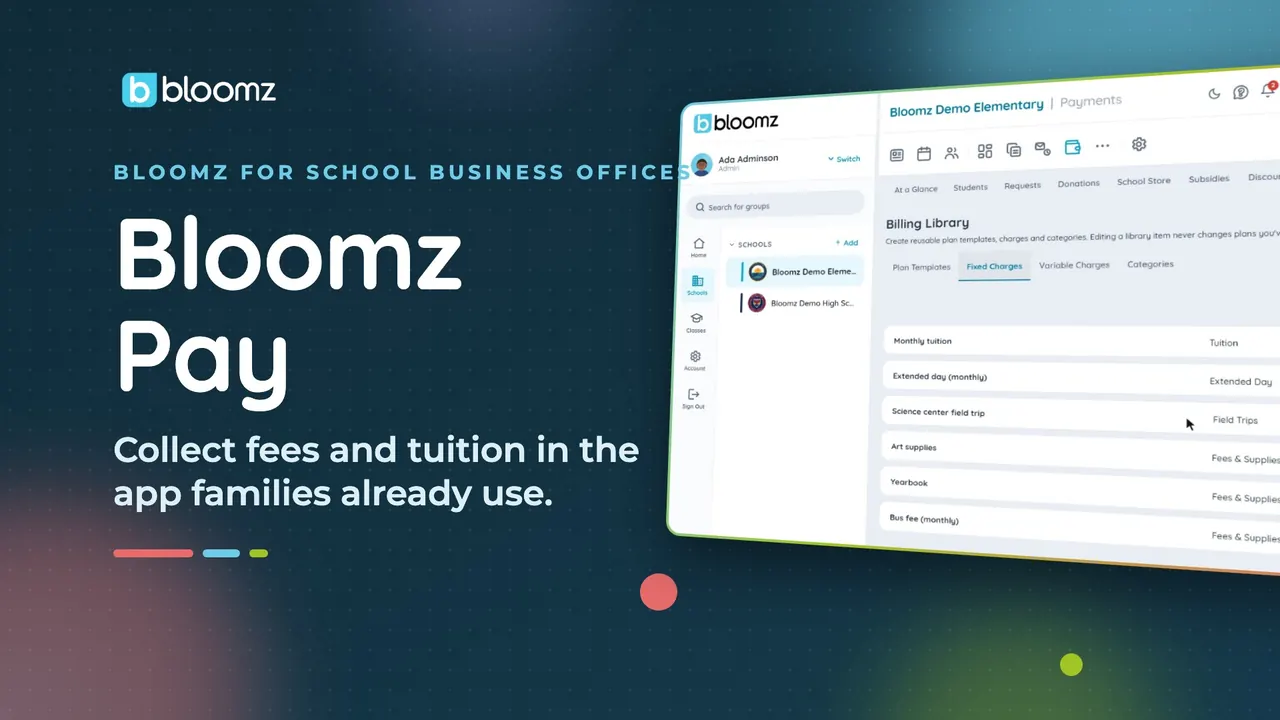
School-grade billing, not just a checkout button
Build charge libraries and rate plans, run recurring tuition plans weekly, biweekly, monthly or quarterly, built from your own charges or a ready-made monthly starter, with autopay, track subsidy agency awards, and apply late-fee policy consistently. Parents get a balance card, saved payment methods, and pay-in-app, with card and ACH processing and transparent pass-through fees.
Teachers request. Schools collect. Admins sleep fine.
A teacher creates a payment request for the field trip; the school's account collects the money. Approval thresholds, per-request caps, and admin templates keep it governed, and refunds are request-only for teachers, executed by admins. No more cash envelopes in backpacks.
The permission slip, the fee, and the receipt — in the app families already use, in their language.
Donation campaigns and event tickets, on the same ledger as tuition
Apptegy Givebacks runs fundraising campaigns; Finalsite Forms Plus sells per-person event tickets. Bloomz does both, with tickets from the Event Tickets module (sold separately), minted through the exact same billing engine as tuition and fees, not a bolt-on donation form or a second ticketing vendor on a second payment processor. Launch a campaign with a goal thermometer and suggested amounts, or sell priced-tier tickets to your spring gala with real-time, atomic capacity tracking, then check guests in with the same QR scanning muscle memory your front desk already uses for Dismissal and Visitor Management.

Any amount at or above the campaign floor mints a charge through the same billing engine as tuition — one receipt, one payment history, automatically included on the year-end tax statement.
Check-in at the door, one scan, idempotent by design
A ticket is an opaque token, never a URL, scanned by the same front-desk staff who already scan for Dismissal pickup and Visitor sign-in. A re-scan of an already-checked-in ticket just succeeds quietly rather than throwing an error at a volunteer working the door, and a refunded or canceled ticket is rejected outright. No new hardware, no separate ticketing app to train staff on for one night a year.
Check-in reuses the exact opaque-token QR scanning already built for Dismissal and Visitor Management — one scanning workflow for front-desk staff, and a re-scan of an already-checked-in ticket just succeeds quietly.
A school store on the exact same ledger as tuition
Apptegy Givebacks and Finalsite both sell a school store as its own product. Bloomz runs spirit wear, with size and color variants and real-time inventory, right inside Bloomz Pay: the same payments account, the same family payment history, and the same year-end statement as tuition, fees, donations, and tickets. A refund, whether issued in Bloomz or from your payment processor's dashboard, restocks the item automatically, and staff get a fulfillment queue with the same front-desk pickup scan already used for Dismissal and Event Tickets.
Every sale, refund, and restock lands on the same Bloomz Pay ledger as tuition, fees, donations, and tickets, one statement, one payout.
Published rates, not a black box.
K-12 schools & districts pay no Bloomz Pay module fee. Payments carry published transaction rates: cards at 3.05% + 11¢, bank transfer (ACH) at $2.50 flat per payment. Same rate for Amex and card reader payments.
Private schools & early learning: cards at 2.9% + 30¢, bank transfer (ACH) at $1.00 flat per payment. Module fee waived at $500k+/yr; custom quote for $2M+/yr in billing volume.
See full Bloomz Pay pricing →Bloomz Pay and other school payment systems
Most pages that rank for "online school fees" and "school payment system" are standalone fee portals and payment processors. Here is how they differ from payments inside the app families already use.
| Bloomz | Standalone fee portals | |
|---|---|---|
| Where families pay | In the Bloomz app they already open for school messages | A separate payment website; check whether families need their own account and login |
| What it collects | One-time fees, tuition plans with autopay, donations, a school store, and payments for event tickets (Event Tickets module), on one ledger | Varies by vendor; check whether tuition plans, donations and tickets are included |
| The fee and the message | A payment request attaches to the post, event or form that announces it | The fee is announced in one tool and paid in another |
| Teacher-collected fees | Teachers create requests; money settles to the school, with admin approval thresholds and caps | Check whether teachers can create requests and who approves them |
| Best fit | Schools that want payments in the same app as their communication | Schools that only need a fee portal, or already run cafeteria and point-of-sale payments through one |
Based on the public pages that ranked for this search in Google (US) in November 2026. Check each vendor's current materials before you decide.
Common questions
Software that lets a school bill families and take payments online: field trip and activity fees, tuition, donations, tickets and store orders, with reports the business office can reconcile.
In the Bloomz app. A balance card shows what is owed, families pay by card or bank transfer (ACH) with saved payment methods, and a fee attached to a post, event or form is paid straight from that post.
One-time fees and invoices, recurring tuition with autopay, teacher payment requests for field trips and supplies, donations, and school store orders with size and color variants. Paid event tickets with QR check-in are billed through Bloomz Pay and need the Event Tickets module, which is sold separately.
K-12 schools and districts pay no Bloomz Pay module fee. Payments carry published transaction rates, listed on the pricing page. Event Tickets is its own module, sold separately.
Yes. A teacher creates a payment request and the money settles to the school's account, never the teacher's. Admins set approval thresholds and caps, and refunds are issued by admins.
Exportable finance reports cover aging, payouts, categories and reconciliation, and cash and check payments can be marked on the same ledger.
Connected across Bloomz
Also see: permission slip template, Event Tickets: ticket links, seat charts and the box office, Facility Rentals: rental requests, deposits and contracts.
20 minutes with Bloomz
answers more than 20 pages ever could.
Bring your hardest scenario, a multilingual community, a PBIS rollout, a vendor consolidation, and we'll walk through the actual product.